A leaky restroom, a vendor receipt, a before-and-after photo, an annual inspection — every job lands in one searchable record, from the field tech's phone to the year-end report. A native Android app for the field that works even offline, a web dashboard for the desk, and a connection to the tenants you serve.
A stack of receipts in someone's truck, and a "memory" of which work was a tenant improvement versus common-area. Tax season is a nightmare, so is the lease audit — and so is figuring out which contractor said what last quarter.
From the field tech's phone to the accountant's reconciliation, every step is captured as the work happens — photos, receipts, costs, and the full chain of who did what.
Get competing bids without the phone tag. Push one job to several contractors at once; their quotes come back side by side — price, lead time, and notes — and you assign the winner in a tap. The chosen vendor sees the work order in their own portal, and the bid stays attached to the job.
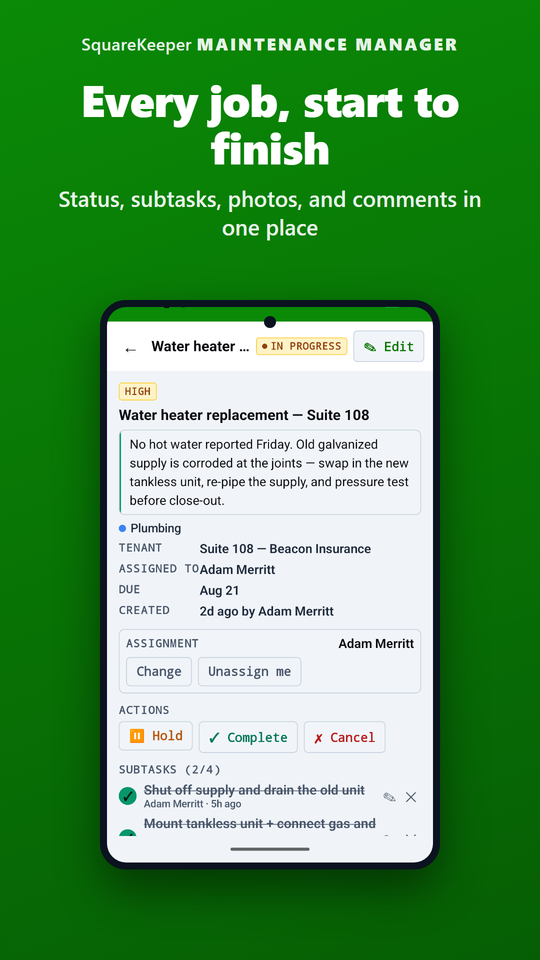
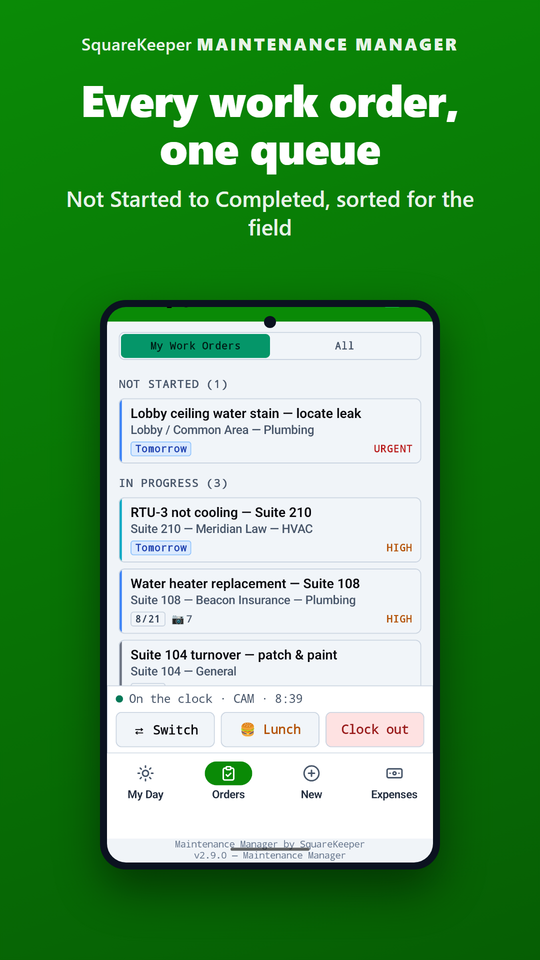
Not Started, In Progress, On Hold, Complete — with structured hold reasons (awaiting approval, vendor, parts, or a scheduled date) so a glance tells you why a job is stuck. Nothing is ever deleted: a cancelled job is marked Cancelled and kept, so the record stays whole. Assign it to a staff member, or let an eligible worker claim it in one tap.
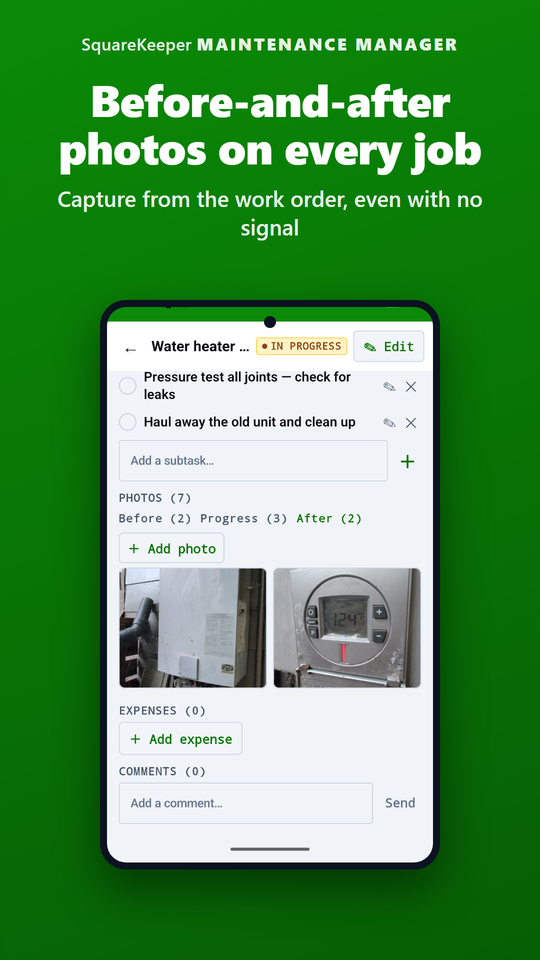
Every repair carries a visual record across three phases, timestamped with who captured it. The work order builds its own audit trail as the job moves — the proof for an insurer or an owner is already assembled.
Filter across every job by before/after, category, tenant, or date, and open any shot full-screen — pull the visual record for one tenant's space, or every safety photo this quarter, in seconds.
Break a complex job into trackable steps, check them off, and see how far along it is without asking. Every add and check is logged, and the list locks once the job closes so the history stays intact.
Log a material, labor, or vendor cost against any work order — company-paid or out of pocket, with a photo of the receipt attached. Each routes through an approval and reimbursement queue and auto-classifies as common-area maintenance or tenant improvement — so year-end reconciliation stops being a January-long ordeal.
Requests from the tenant portal arrive in a live queue. Approve one and it becomes a real work order — carrying the tenant's name, photos, and a reference number — and the tenant is emailed the outcome automatically. No re-typing what they already wrote.
Post a QR code in every restroom. Anyone in the building reports an issue in English or Spanish in fifteen seconds — no app, no login — and your staff get a text and email alert, with quiet hours and issue-type filters you control.
Mark a job as vendor work and assign the outside contractor handling it, with notes for gate codes or after-hours contacts. The assigned vendor sees their work — its details, notes, and the tenant's name — in the vendor portal.
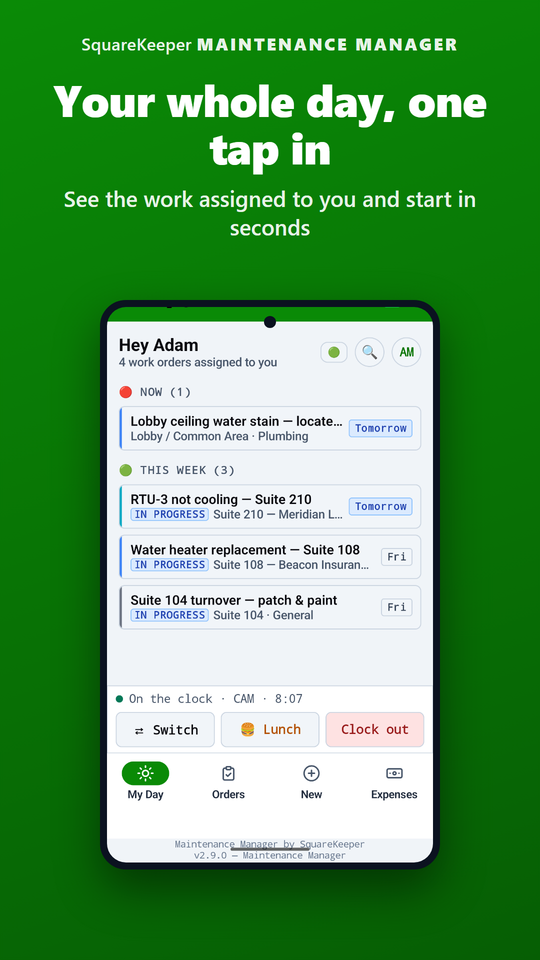
Field techs get a native Android app — a "My Day" triage that opens to today's queue (now, today, this week) and closes a job with one tap, even offline. Managers get a separate web dashboard: what's overdue, what's stuck, what got done today, and a queue of expenses to approve.
Hand a bookkeeper, an insurer, or an auditor exactly what they need — work orders, expenses pre-tagged common-area or tenant-improvement, a photo manifest, per-tenant activity — exported by date range, ready for Excel.
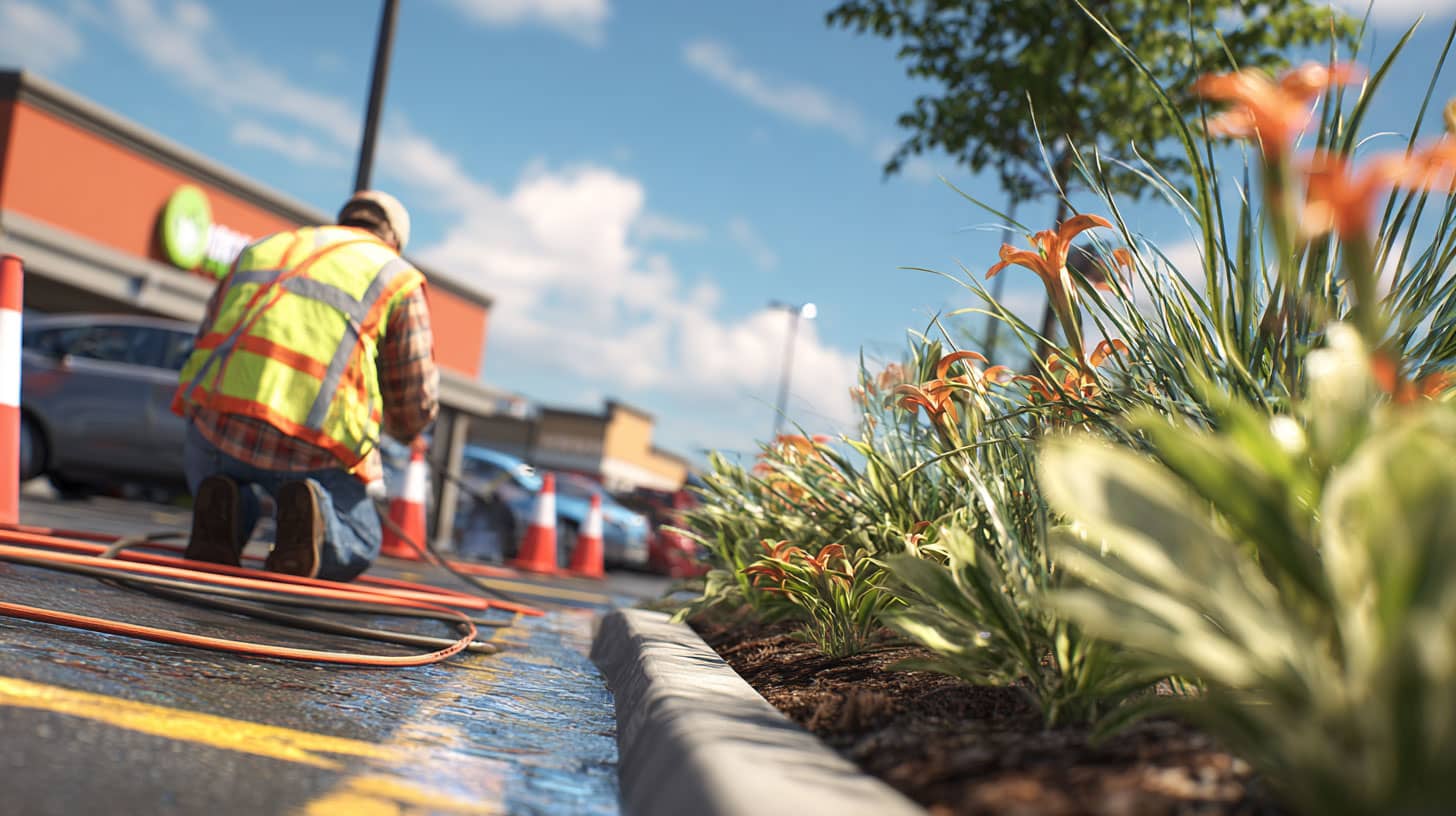
Maintenance crews don't sit at desks. Field techs carry a downloadable Android app built for the job site — and managers run the same records from the web dashboard. Both sides write to one source of truth.
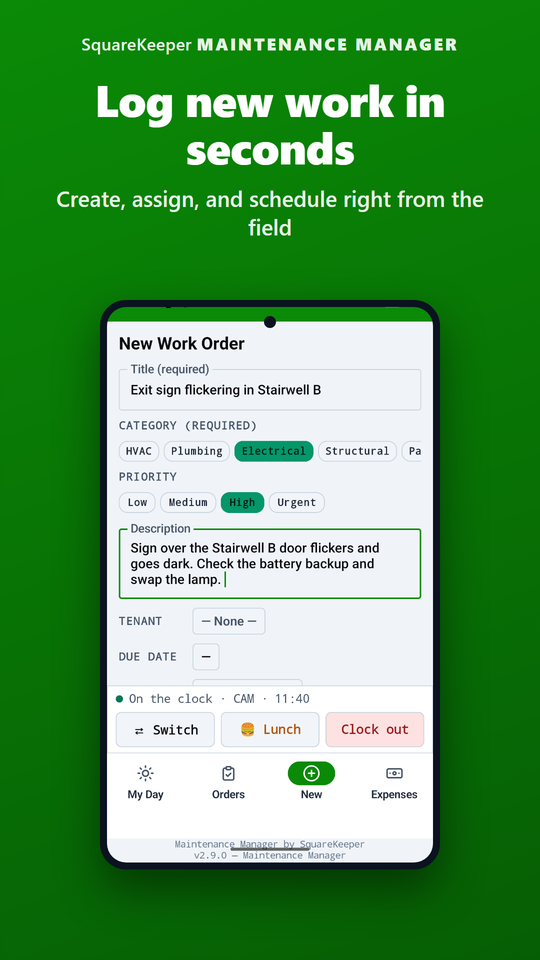
A "My Day" triage opens to today's queue — now, today, this week. Open a work order, create a new one, capture photos with the native camera and view any of them full-screen, and log an expense — all without leaving the app or switching to a browser.
A basement boiler room or a dead zone doesn't stop the work. Snap photos and log a job offline; the app holds an upload queue and sends everything the moment signal returns. You can even open the app cold with no connection and keep going — nothing waits on a bar of service.
Janitorial staff see only the cleaning, safety, pest, and landscaping work that's theirs — plus every restroom report — with none of the clutter from HVAC, electrical, or other trades.
On a tenant's request, opt in to share a status change or a comment — they see progress on their own status page without a phone call. Internal notes and photos stay internal, per item.
Field staff clock in, take lunch, and clock out from a bar right inside the app — no second app to open. See it covered in full just below.
The time clock lives right inside the maintenance app, so field staff never leave the job to manage their own time — and the cost of that time lands where it belongs.
A slim clock bar sits at the top of the field app: one tap to clock in, take lunch, or clock out, with a live status that shows the current cost category and the elapsed time. No separate timekeeping app to install or switch to.
When the work shifts from common-area to a specific tenant's, a worker switches their time category right from the bar — and a tenant-billed category prompts for which tenant to bill. The bucket is set as the work happens, by the person doing it.
Every stretch of time carries its cost category, stamped with who and when. No more guessing at year-end which hours were common-area, which were a tenant improvement, and which were something else — the allocation is recorded as it's worked, ready for the books.
Set a radius around a worksite and the clock knows where the work is. From then on, an off-site or buddy punch is turned away on the spot, in English or Spanish — so the hours you bill and pay are the hours actually worked on site.
Maintenance Manager doesn't operate in isolation. Every connection below is one the software actually makes — no busywork re-keying between tools.
A resident submits through the portal; approve it and it lands as a real work order with their name, photos, and a reference number attached. Any update you mark tenant-visible flows back to their status page — so they see progress without calling.
A work order's status reflects back onto the Operations project that dispatched it, and your overdue or urgent jobs surface on the Operations dashboard. Operations can also dispatch work orders straight into Maintenance — one source of truth, two views.
Assign an outside contractor to a job and they can see it in the vendor portal — its details, notes, and the tenant's name — so the plumber or electrician arrives knowing exactly what they're walking into.
How a single request travels from a tenant's phone to a closed-out job — without anyone re-typing a thing.
A resident files a leaking-faucet request in their portal, with a photo and a description.
It lands in your tenant-request queue. One click approves it — and emails the tenant that it's underway.
The request becomes a real work order with the photo, the unit, and the tenant's name already attached.
Route it to a tech or a vendor; they add before/after photos, log the receipt, and mark it complete.
Share the closeout and the tenant sees it on their status page — no re-keying, no follow-up call.
Yes — multi-tech operations are the design point. What each person sees is scoped to their role: owners see everything, managers see their property, staff see the work orders assigned to them, and cleaning staff get a filtered view of just their jobs. A work order can be assigned outright or claimed by an eligible worker in one tap.
A real, downloadable native Android app for your field crew. It runs My Day triage, the work orders and their detail, new work orders, native-camera photo capture with a full-screen viewer, and expense logging — and it works fully offline. Managers run the matching web dashboard from any browser; both sides read and write the same record. (Officers in the suite's Parking Manager carry an Android app too.)
The work keeps going. Photos and updates captured offline are held in an on-device upload queue and sync the moment the phone is back on Wi-Fi or cellular. You can even launch the app cold with no connection and keep working — nothing is blocked waiting on a bar of service.
Yes. A clock bar inside the app lets staff clock in, take lunch, and clock out without opening a separate timekeeping app, with a live status showing their current cost category and elapsed time. They can switch that cost category as the work moves from common-area to a specific tenant's — a tenant-billed category prompts for which tenant — so the time is allocated to the right bucket as it's worked, with who-and-when stamped for the audit trail. (Time is tracked by cost category, not against an individual work order.)
Mark a job as in-house or vendor work. On a vendor job you assign the outside contractor handling it and add notes like gate codes or an after-hours phone. That vendor can then see their assigned work — its details, notes, and the tenant's name — in the Vendor Portal.
Yes — per item, not per work order. On a job that came from the tenant portal, you opt in to share a specific status change or comment with the tenant; everything else stays internal. Shared entries carry a small "tenant can see this" marker so there's never any doubt.
Every expense classifies automatically: a cost on a job with no tenant is common-area maintenance, a cost on a tenant's job is a tenant improvement. Costs route through an approval and reimbursement queue and export pre-tagged — so a reconciliation that used to eat a month collapses to an afternoon.
For restrooms, yes — the public QR form takes no login. Anyone scans, picks an issue type, optionally adds a photo, and your staff get a text and email alert. For richer requests with photos and status tracking, pair Maintenance Manager with the Tenant Portal — every tenant gets a login, with no per-user fees.
You decide, per property. Set the staff and recipients on the text and email lists, choose which issue types trigger an alert, and set quiet hours so nobody gets a 9pm ping for a "supplies low" report. The right people are notified without flooding everyone's phone.
The public restroom report form is bilingual — anyone scanning the QR code picks English or Spanish (auto-detected) and reports an issue in their language, with no app or login.
Anytime. Export work orders, expenses (pre-classified common-area or tenant-improvement), a photo manifest, per-tenant activity, and a category breakdown — each by date range, prepared to open cleanly in Excel. No database dump, no waiting on anyone.
Start a free 30-day trial — no credit card. Your first work order takes about a minute, from your phone.