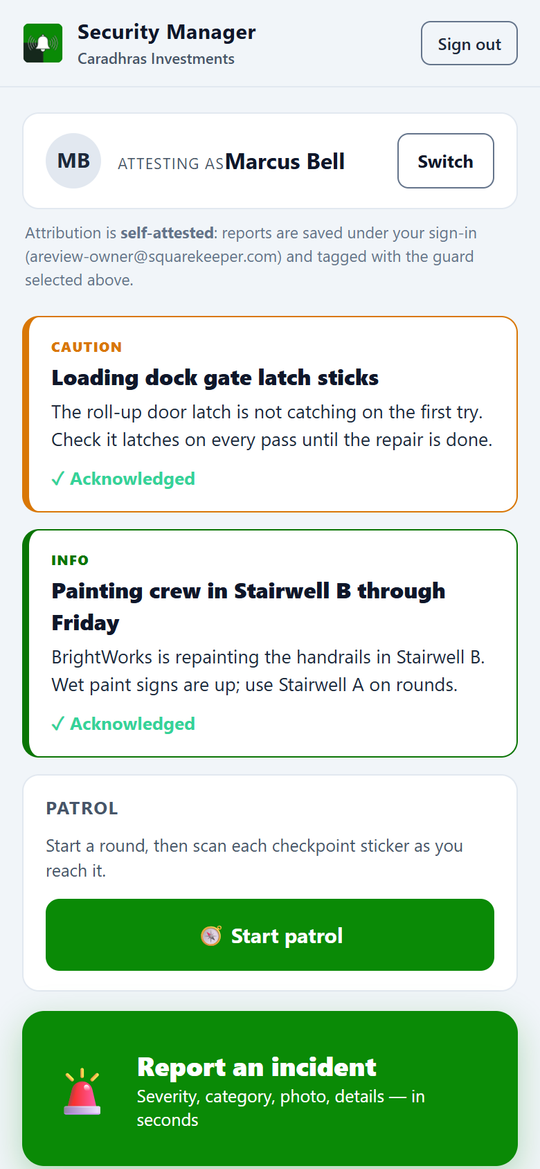
A uniformed security guard on duty in a commercial property parking lot on a sunny day
Security Manager

Security that's on the record — not in someone's memory.

Guards log an incident in seconds from their phone, scan QR checkpoints as they patrol, and every report, patrol, and licensed guard lands on one auditable record. When an incident becomes an insurance claim or a court date, the documentation is already there.

30-day trial No credit card Cancel anytime
Why it matters

When something happens at 2 a.m., what's the record?

A theft, a slip-and-fall, a trespasser after hours. Weeks later an insurer or an attorney asks exactly what happened, when, and who was on duty — and the answer is a guard's memory, a group text, and a paper log that may not still exist. By then the gap is your liability.

What's inside

The whole security picture, on one record.

From the guard's first scan to the insurer's export, every incident, patrol, alert, and licensed guard is captured, attributed, and defensible.

Incident reports in seconds

A guard captures an incident from their phone fast: category, severity, a photo, the location, and a short narrative — voice-to-text supported. Built for one hand, in low light, in the rain.

QR-checkpoint patrols

Post QR checkpoints around the property; guards scan each as they pass. Every visit is timestamped and located, missed checkpoints flag automatically, and coverage rolls up per shift. Patrol becomes verifiable, not a signature on a clipboard.

Guard roster & license tracking

Every guard on file with their license number, expiry, and the document itself — with a countdown that turns amber at thirty days and red the moment it lapses.

The incident record

Each incident carries severity, category, status, location, photos and video, witnesses, and a full activity log — filterable and assignable, with police-report and insurance-claim fields built in.

Patrol review

See each guard's shift on a map: where they went and when, their checkpoint coverage, the photos they took, and every incident logged on that patrol.

Guard alerts

Push a note to your guards — "west walkway closed June 15–30" — with a severity and an acknowledgment trail, so you know exactly who has seen it.

A security dashboard

Open incidents, today's count, critical and high in the last week, guards on duty, and average response time — plus where on the property incidents cluster and what hours run hottest.

Audit-ready exports

Export incidents and patrol logs to CSV, or pull a formatted incident summary and an hour-of-day pattern — the documentation an insurer, an attorney, or a police report actually asks for.

Staff-only, in your dashboard

It lives inside your SquareKeeper dashboard for the staff and guards you authorize — one login, no separate tool. Tenants and vendors never see it.
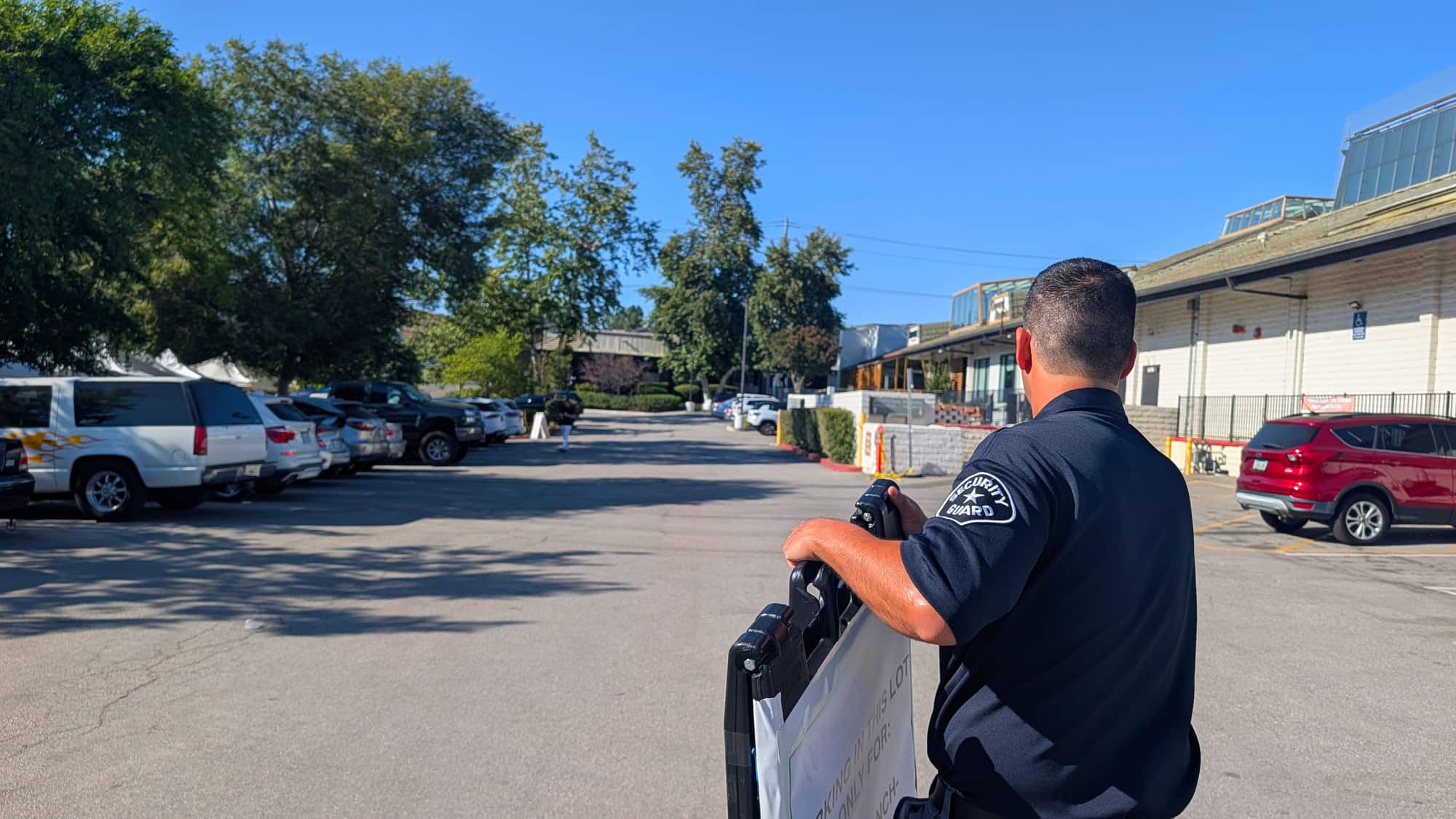
A real example

From a 2 a.m. incident to a filed claim.

What used to be a half-remembered story becomes a timestamped, defensible record — in the moment it happens.

  1. 1

    A guard spots it

    Theft, damage, a trespasser. They open Quick Report on their phone.

  2. 2

    Seconds to log it

    Category, severity, a photo, the location, a line of narrative — submitted on the spot.

  3. 3

    It's on the record

    Timestamped, located, attributed to the guard on duty, with the photo and any witnesses attached.

  4. 4

    You act on it

    Assign it, track it to resolved, and export a formatted summary the day it becomes a claim.

Pricing
$59 a month, standalone.

Standalone — or inside SquareKeeper Complete, all seven modules for $499/month. The first 30 days are free and there's no credit card to begin.

Common questions

Security Manager, answered.

What does Security Manager do?

It turns security work into an auditable record: guards report incidents from their phones, scan QR checkpoints on patrol, and you get a filterable incident log, patrol review, guard alerts, a security dashboard, exports, and a licensed-guard roster — all in one place, instead of a text thread and a notebook.

How fast can a guard log an incident?

In seconds. The Quick Report flow is built for the field — category, severity, a photo, the location (auto-filled), and a short narrative with voice-to-text — designed to take about fifteen seconds from tap to submit, one-handed.

How do the QR-checkpoint patrols work?

You post QR checkpoints around the property and download the codes to print. Guards scan each as they pass; every visit is timestamped and located, the dashboard shows coverage per shift, and checkpoints that get missed flag automatically — so a patrol is something you can verify, not just trust.

Can I get the documentation for an insurer or a police report?

Yes. Export incidents and patrol logs to CSV, or pull a formatted incident summary and an hour-of-day pattern. Each incident already carries photos, witnesses, and police-report and insurance-claim fields, so the record is built for the moment someone asks for proof.

Does it work for an outside security firm?

Yes. Whether your guards are in-house or from a contract firm, they work from the mobile side to report and patrol, and your management team runs the roster, alerts, and reports from the dashboard. You decide who has access.

Who can see it?

Staff and guards you authorize — it lives in your SquareKeeper dashboard, not a separate app. Tenants and vendors never see any of it.

Stop reconstructing what happened from memory.

Start a free 30-day trial — no credit card. Add a guard and post your first checkpoint the same afternoon.