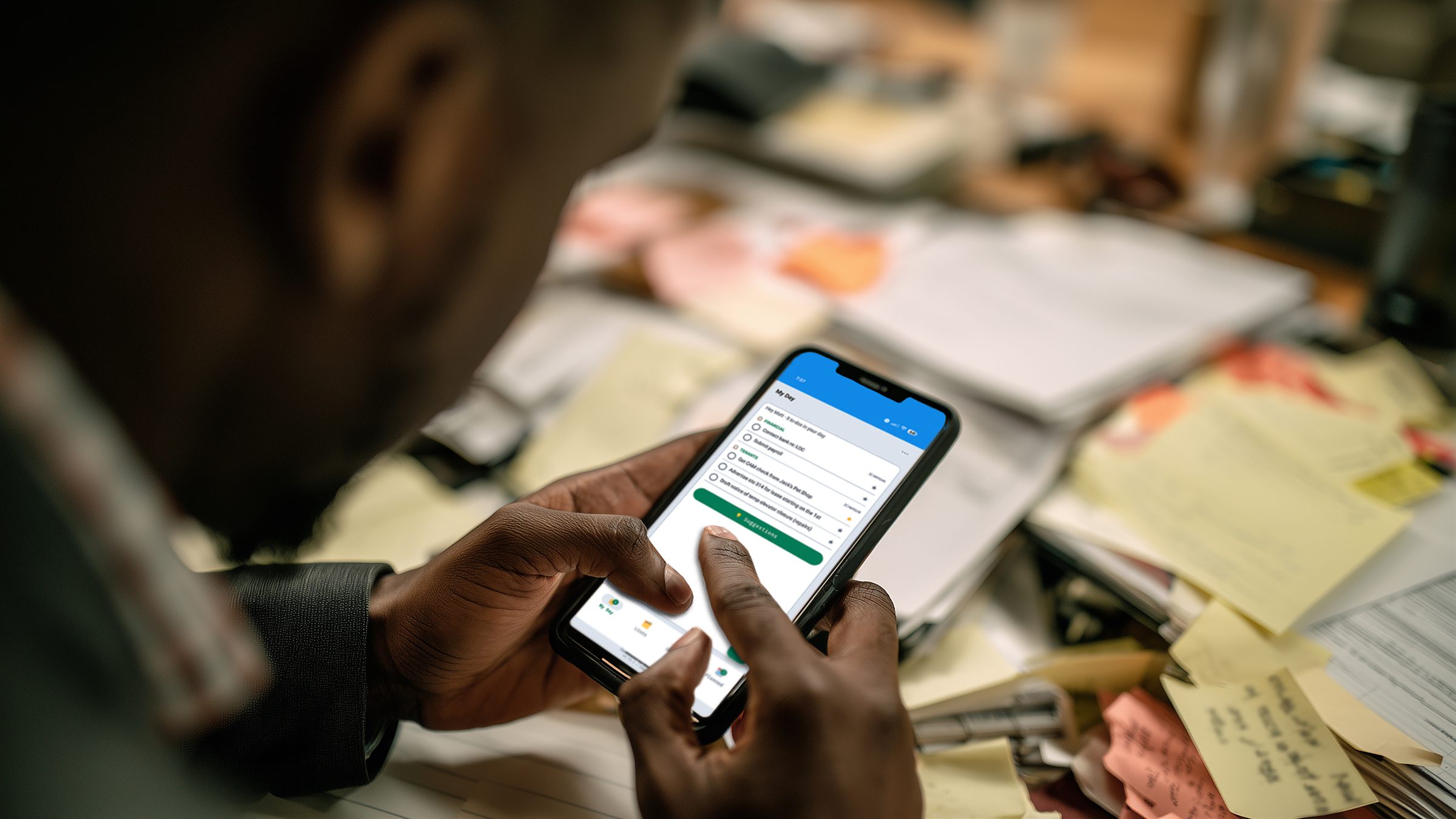
A plain to-do list stops at the checkbox. Checklists keeps going — jot "fix the lobby light" and turn it into a real maintenance work order, or a list of steps into an operations project, in one tap. What you noted on your phone becomes work the whole team can follow, with nothing typed twice.
Keep a Work space and a Personal space, line up today in My Day, and give each to-do real detail — then turn the ones that matter into tracked work across the suite.
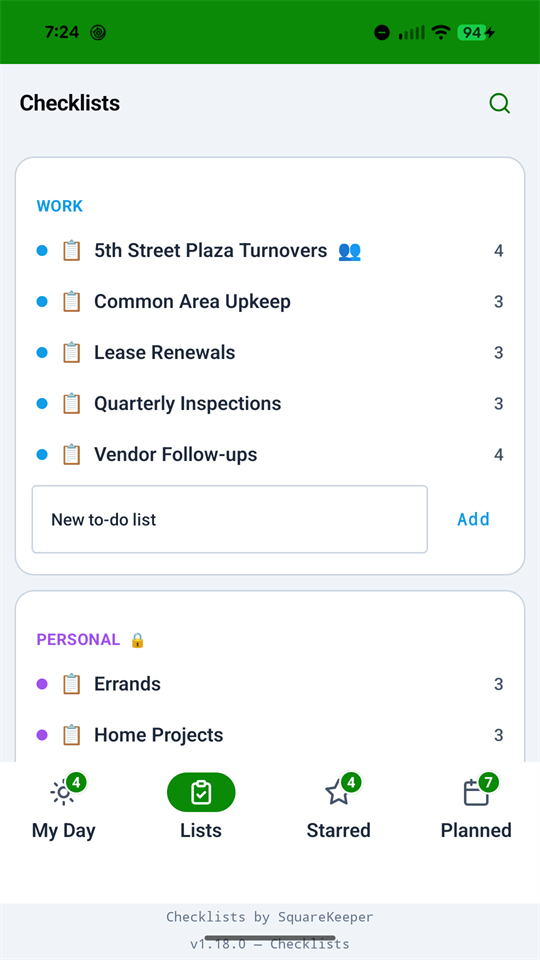
A Work space and a Personal space, each with its own to-do lists. Work lists you can keep to yourself or share with teammates; Personal lists stay yours alone.
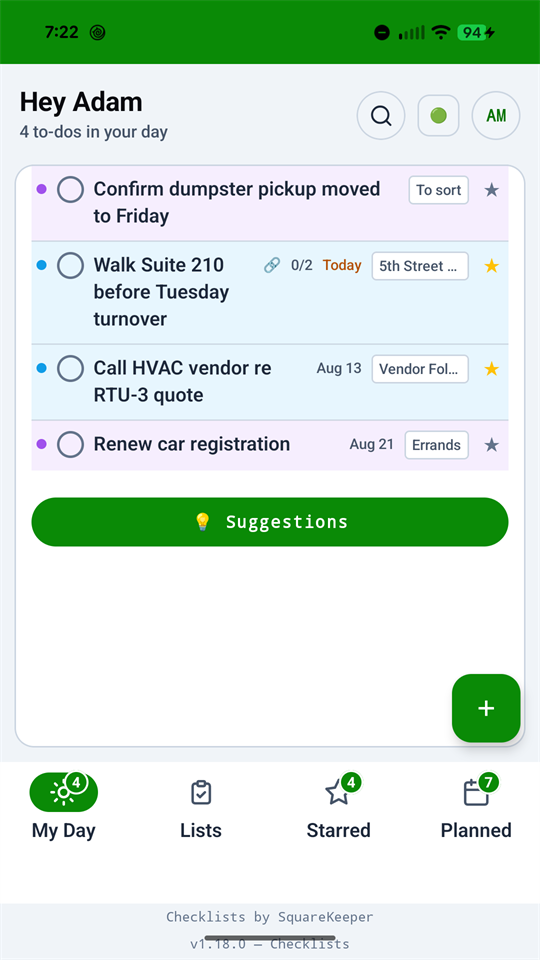
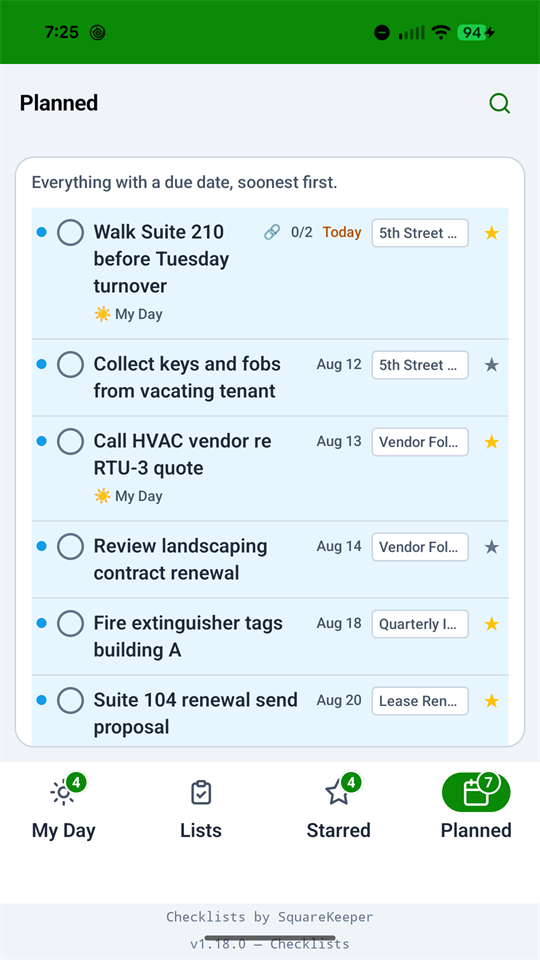
Pull today's to-dos into one focused view that resets each morning. Whatever you didn't finish is easy to bring back — so the list is a plan for today, not a guilt pile that only grows.
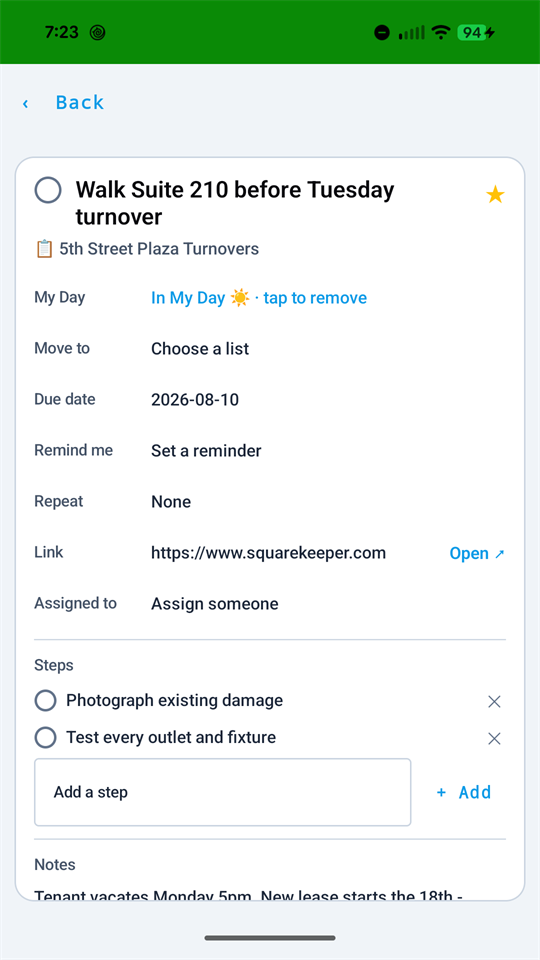
More than a checkbox: repeat a to-do daily, weekly, or monthly; attach a photo or PDF; star what's important; and set a reminder. See everything by My Day, Important, or due date.
Share a Work list with the people who need it, and assign individual to-dos to specific teammates. Everyone sees who's got what — without another group text to keep straight.
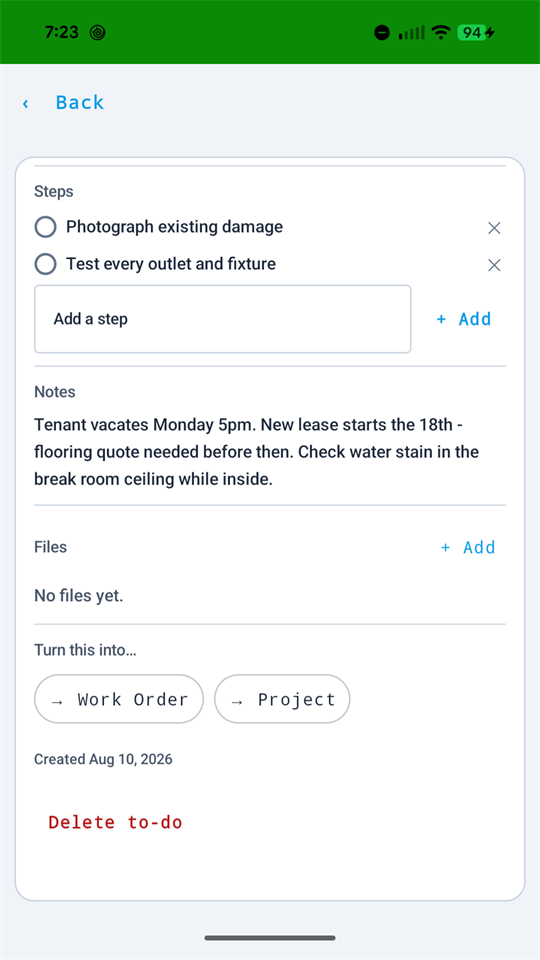
Here's what a plain to-do list can't do: turn a to-do into a real maintenance work order, or a list of steps into an operations project — in a single tap. What you jotted down becomes tracked work across the suite, with nothing re-typed.
Checklists is built into SquareKeeper — for the owner, the maintenance lead, the office manager, anyone with a login. Included with every plan and every module: no extra charge, no extra seat.
On the web, installable to your phone, and a real native Android app — offline-first, with reminders that push to your phone and open the exact task on tap. A dead-zone basement or a sunlit lot never stops the list; it syncs the moment you're back online.
Open it in any browser and it's right there with the rest of SquareKeeper — same login, same to-dos, no install required.
Add Checklists to your home screen so it's always a tap away, then capture a to-do in a few taps from wherever you are.
A genuine native app, not a wrapped page — offline-first, so it keeps working with no signal and syncs the moment you're back online.
Set a reminder and it pushes to your phone when you asked it to — tap it and you land on the exact to-do, ready to act.
Work lists are for the team — share them, assign them, track them together. But your Personal lists are genuinely private: readable only by you, not by an administrator and not by SquareKeeper. We built it that way on purpose, so the same app can hold the dry cleaning and the lobby light without either one leaking into the other.
No. Checklists is included with every plan and every module — no extra charge, no per-seat fee. Anyone on your team with a SquareKeeper login already has it.
From a to-do, one tap creates a real maintenance work order — assigned, photographed, and tracked like any other. A list of steps can become an operations project the same way. You jot it down once; it turns into tracked work across the suite with nothing re-typed.
Two separate spaces, each with its own to-do lists. Work lists can be kept to yourself or shared with teammates, with individual to-dos assigned to specific people. Personal lists are private to you — not visible to an administrator and not to SquareKeeper.
Both. Checklists runs on the web, installs to your phone's home screen, and ships as a genuine native Android app — offline-first, so it keeps working with no signal and syncs when you're back online. Reminders push to your phone and open the exact to-do on tap.
Yes. A to-do can repeat daily, weekly, or monthly; carry a due date, a star for what's important, and a reminder; and have a photo or PDF attached. You can view everything by My Day, by Important, or by due date.
A focused view of what you've chosen to tackle today. It resets each morning, and anything you didn't finish is easy to bring back — so it stays a plan for today rather than an ever-growing pile.
Checklists comes with every plan. Start a free 30-day trial and the whole suite comes with it — no credit card to begin.