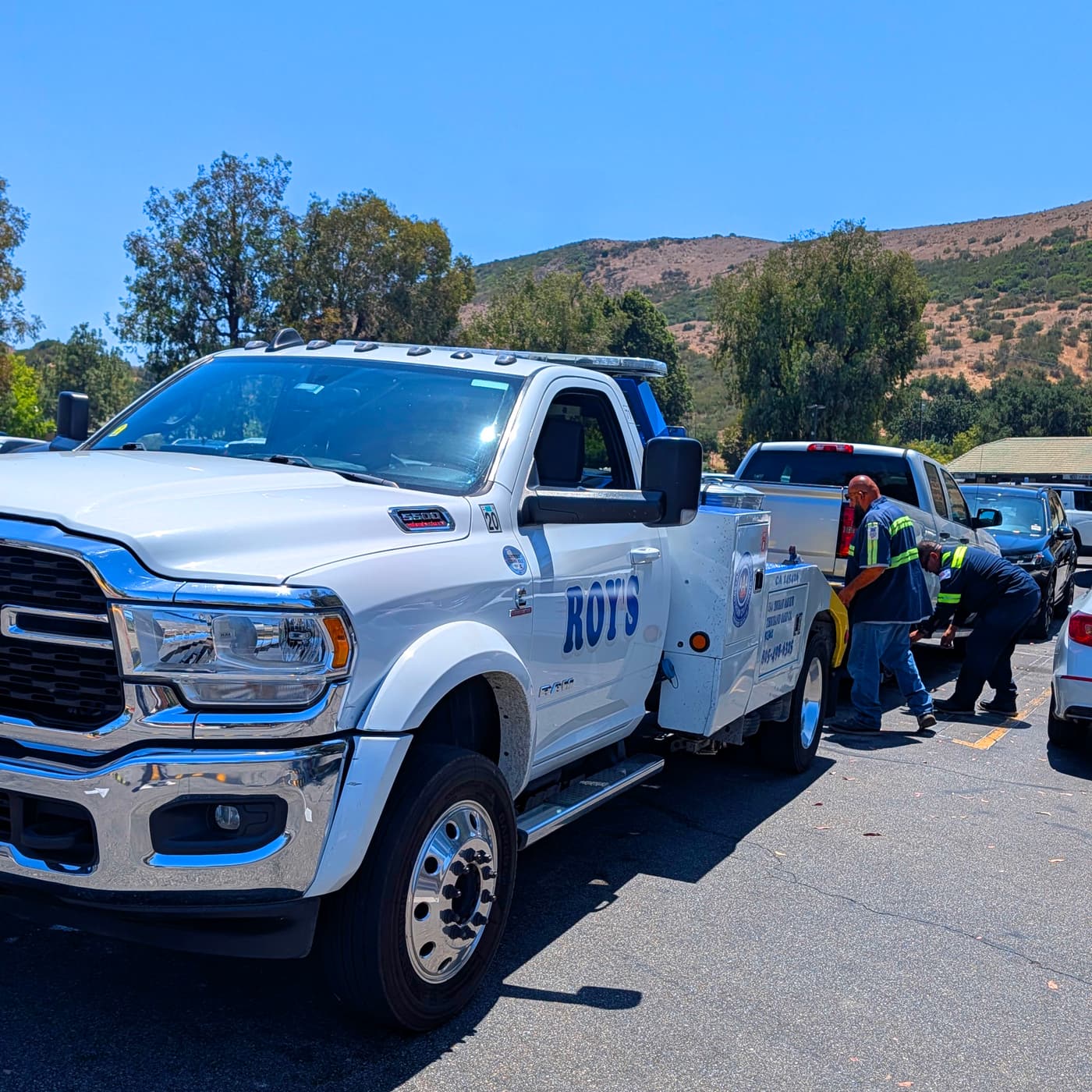
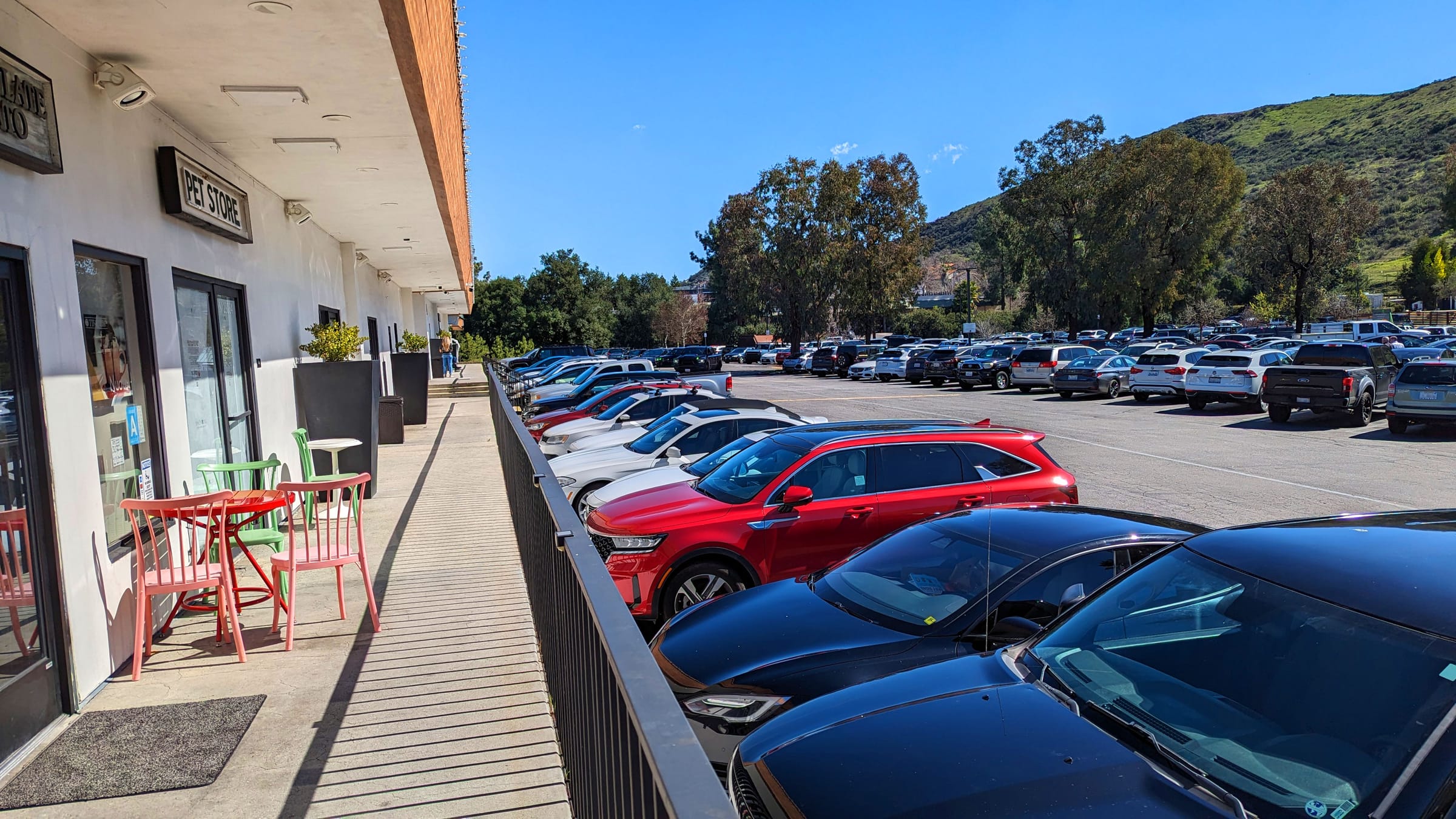
A commercial property parking lot in daylight, cars lined along a storefront
Parking Manager

Scan the plate. Print the notice. Win the dispute.

An officer scans a plate in the lot and gets an instant verdict; the notice prints back at your office automatically. Managers run the whole operation from the web — the vehicle registry, the violation trail, the analytics — while the field happens on a paired Android app.

30-day trial No credit card Cancel anytime
Why it matters

Mixed-use parking is a quiet margin-killer.

Tenants take customer spaces. Customers take resident spaces. A group text enforces nothing — so the abuse compounds, and the one time you do write a notice, the driver disputes it and you have nothing to show for where the car was, who issued it, or when.

What's inside

A field app for officers. A command center for managers.

The work splits cleanly: officers carry an Android app built for the lot, and managers run the registry, the violations, and the analytics from the web dashboard. Both sides write to one record.

Scan a plate in seconds

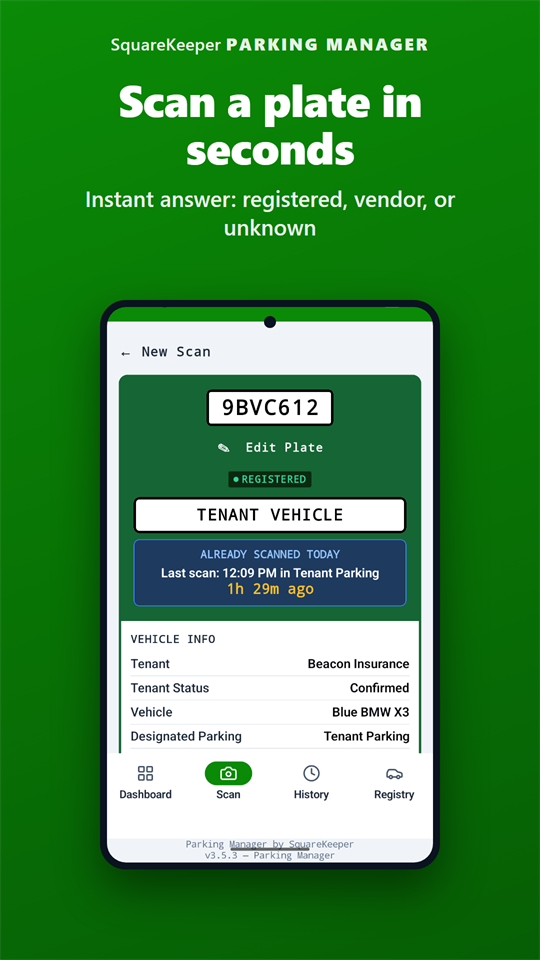
The Android app reads the plate through the camera — on-device, no typing — and returns the vehicle in a moment. A plate the camera can't catch goes in by hand. The lookup runs against a registry cached on the phone.

An instant, color-coded verdict

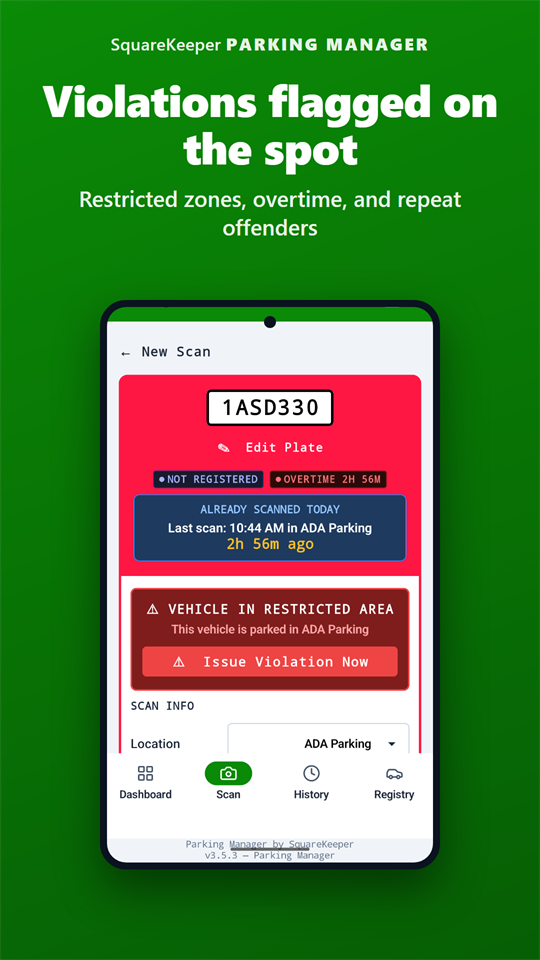
The result fills the screen in a color the officer can read from a distance or in bright sun: green for a registered vehicle in the right zone, red for the wrong zone or over its limit, purple for one that isn't on file. No interpretation needed.

Issue with photo evidence

Issue a violation right from the result, attach up to three photos, and drop a pin on a lot map for the exact spot the car was found. The notice carries the zone, the reason, and the time — assembled before the officer walks away.

It prints at the office automatically

The moment a violation is issued in the field, it prints at your office printer through the cloud — no cables, no Bluetooth, no manual step. Install the small print app on a Windows, macOS, or Linux machine, connect it once, and leave it running.

Bilingual notices, EN / ES

Every printed Written Notice of Parking Violation comes out in English and Spanish, with your property name, address, logo, the violation photo, and a map page marking where the vehicle sat.

Works fully offline

An underground garage or a dead zone doesn't stop a patrol. Scans run against the cached registry and queue locally; a violation issued offline is saved and prints at the office the moment the phone is back online.

A tamper-evident audit trail

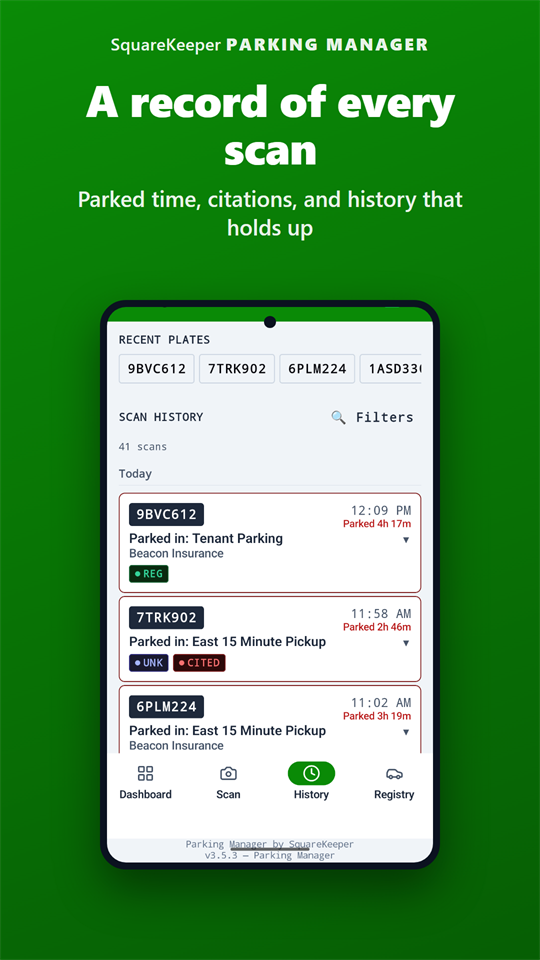
Every notice moves through Issued, Printed, and Delivered or Not Delivered — and each change is stamped with who made it, when, and the device it came from, in a record no one can quietly rewrite.

The vehicle registry

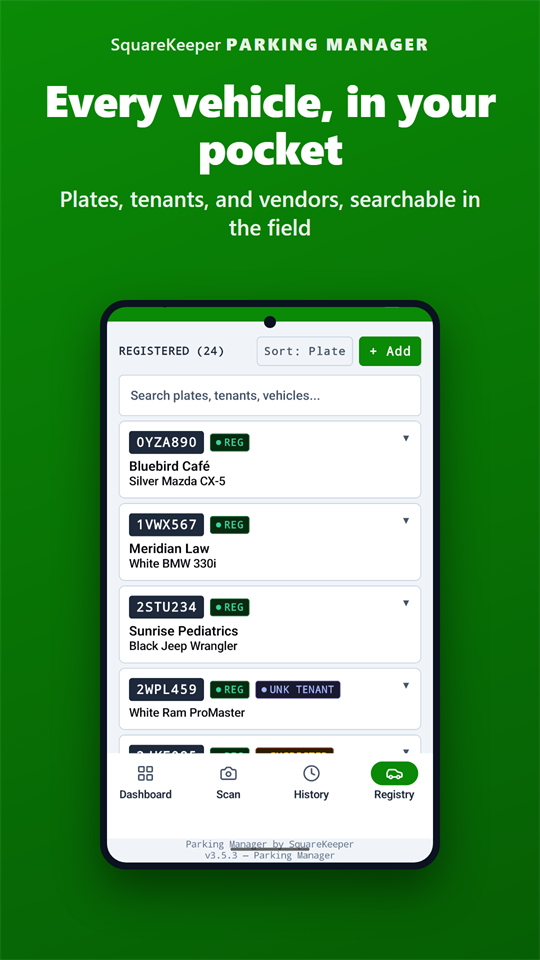
Every registered vehicle in one searchable list — plate, tenant, status, photo, and the parking areas it belongs in. Look up any car, see its full scan-and-violation history, and bulk-import an existing list on day one.

Suspected-vehicle triage

A plate you don't recognize gets set aside as suspected. Work the queue from the dashboard with bulk actions — confirm a real tenant in one click, or dismiss a stale lead without ever deleting the record.

The day in one view

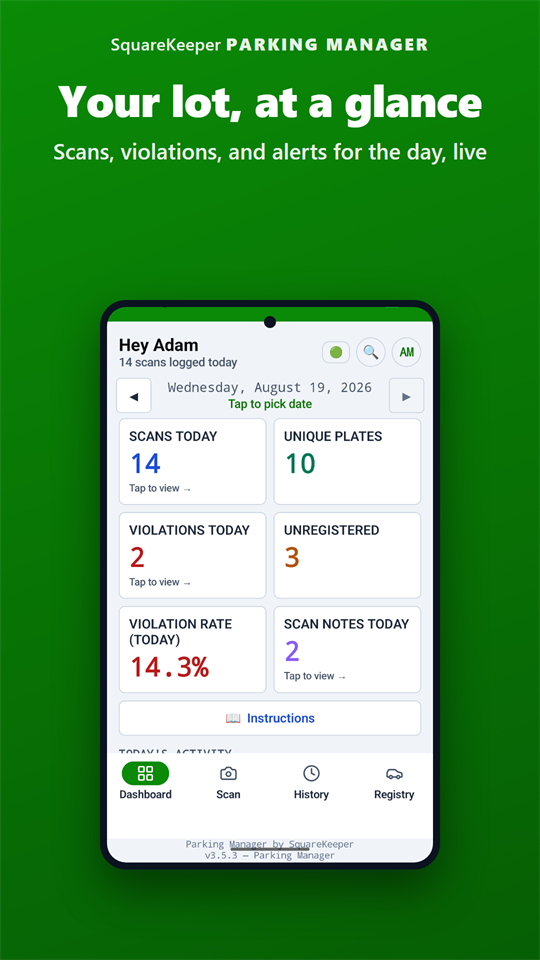
The dashboard shows scans, violations, the not-delivered count, and the delivery rate for the day, with trend charts, your busiest zones, and your repeat offenders.
Made yours

Configured your way, enforced consistently.

Set it up to match how your property actually runs — your notice, your exemptions, your escalation — and see what's really getting walked.

Make the notice yours — no developer required

Set your own notice wording in English and Spanish, your towing company and phone, your enforcement code, and upload your lot map — all from the admin settings. The system won't print a tow-bearing notice until your towing and enforcement details are in place, so a notice never goes out half-finished.

Mark a contractor's vehicle as exempt

Gardeners, plumbers, and delivery crews get logged for identification but skip zone enforcement — so the people you hired never come back to a notice on the windshield.

Repeat offenders surface on the spot

Scan a plate that's already been warned and the officer sees it immediately — the last notice date, how many times, and a clear "warned once, tow next" prompt — so escalation is consistent instead of a judgment call.

Know whose list is current

Each month, tenants confirm the vehicles on file for them, and your dashboard shows Confirmed, Pending, and Delinquent at a glance — so an out-of-date registry is something you can see and chase, not a surprise you find during a dispute.

See the gaps, not just the activity

The dashboard flags which zones went un-scanned over the past week — so you can tell at a glance whether the whole lot is getting walked, not just the easy rows by the entrance.

Works better with the suite

One plate, connected where it counts.

Parking Manager shares the same tenant directory as the rest of SquareKeeper, and the day's enforcement rolls up to Operations — so the registry stays current and parking exceptions reach whoever's watching the whole property, without anyone re-keying a thing.

A real example

One violation, lot to office.

How a single scan in the field becomes a documented, printed notice — with the whole chain tracked for you.

  1. 1

    Scan in the lot

    The officer points the phone at the plate. On-device reading pulls the vehicle and the zone they're standing in.

  2. 2

    Read the verdict

    A full-screen, color-coded result says it instantly: registered and fine, wrong zone, or not on file at all.

  3. 3

    Issue with a photo

    Issue the violation, attach photo evidence, and drop a pin on the lot map marking exactly where the car sat.

  4. 4

    It prints at the office

    The bilingual notice prints at your office printer automatically. Offline in a garage? It prints the moment the phone reconnects.

  5. 5

    The whole chain is tracked

    Issued, printed, delivered or not — every step is stamped with who, when, and the device, ready the day a dispute arrives.

Pricing
$99 a month, standalone.

Standalone — or inside SquareKeeper Complete, all seven modules for $499/month. The first 30 days are free and there's no credit card to begin.

Common questions

Parking Manager, answered.

Who uses the app, and who uses the dashboard?

Field officers carry the Android app — built for one-handed use outside, in bright sun, often in gloves. Managers work from the web dashboard: the vehicle registry, the violation records, the day's analytics, monthly vehicle confirmations, and printer setup. Both sides read and write the same record, so there's never a second list to reconcile.

Does the field app work without internet in the lot?

Yes. The full vehicle registry caches on the device, so you can scan, look up a vehicle, and issue a violation completely offline. Scans queue locally and sync automatically when you're back on Wi-Fi or cellular — and a violation issued offline prints at the office the moment the phone reconnects. Underground garages, rural properties, dead zones: covered.

How does printing actually work?

Through the cloud, not a cable. You install a small print app on an office computer — Windows, macOS, or Linux — sign in, and connect one of its printers from the web admin. From then on, every violation an officer issues in the field prints at that office printer automatically. There's a "print test page" button to confirm the pipeline end to end, and you can batch-print or reprint from the dashboard whenever you need.

Are the printed notices bilingual?

Yes. Every notice prints as a formal Written Notice of Parking Violation in English and Spanish, carrying your property name, address, and logo, the zone the vehicle was found in, the violation photo, and a final map page with a pin at the recorded location. A friendlier courtesy-notice format is available too.

Can tenants register their own vehicles?

Yes — through the Tenant Portal, with unlimited free logins for your tenants. Each month a confirmation cycle prompts tenants to verify the vehicles on file, and any car they add or remove writes straight onto the parking registry — so it never goes stale and your staff stops chasing emails to verify whose car is whose.

Can we set different rules for different parking areas?

Yes. You define your property's parking zones — resident, customer, loading, accessible spaces, fire lanes, and the rest — and assign each registered vehicle the areas it belongs in. A scan in the wrong zone flags instantly on the officer's screen, and restricted areas pre-fill the right violation reason, including the relevant California Vehicle Code citation.

What about multiple properties?

Each property keeps its own vehicles, rules, and zones, fully separate. Staff with access to more than one property switch between them from a single sign-in. Pricing for additional properties is on the pricing page.

How is enforcement defensible in a dispute?

Every notice carries a three-stage lifecycle — issued, printed, then delivered or not delivered — and each change is recorded with a timestamp, the staff member's name, and the device it came from, in an append-only audit trail no one can quietly edit. Add the photo at issuance and the map pin, and you have the full chain documented from the moment the plate was scanned.

Take control of your parking.

Start a free 30-day trial — no credit card, and you can import your existing vehicle registry in minutes.